For designers of physical games
Loruna holds the compendium, the rules, the cards and the playtest log as a single source. Change an entry once — the card, the rulebook and the sell sheet are already correct.
Loruna is in closed beta and free while it lasts. The demo opens the whole example project, signed out, with nothing to fill in first.
See it in use
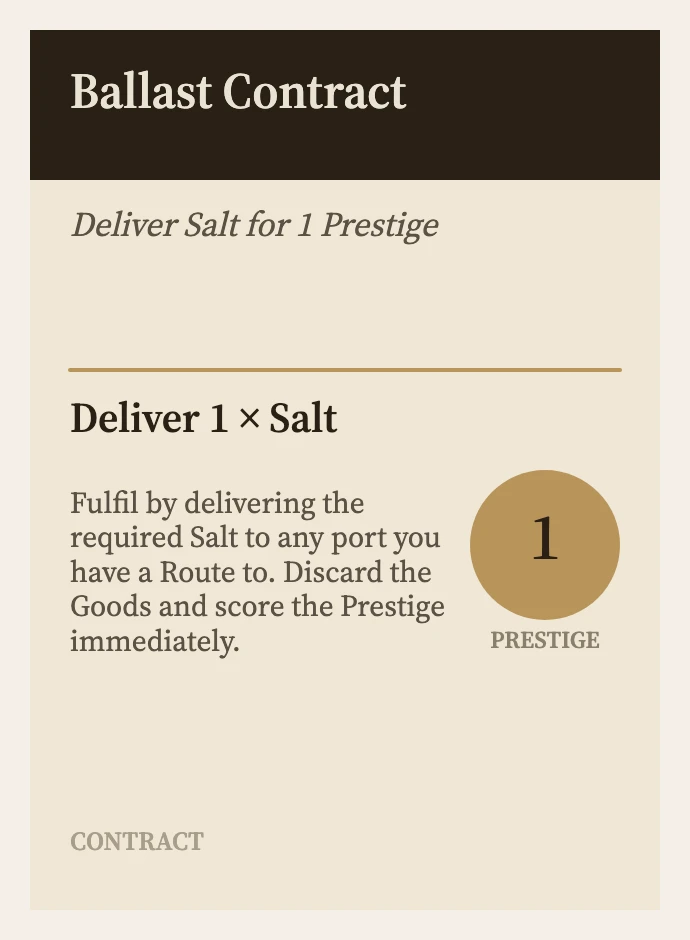
Ballast Contract, twice: the entry as you write it, and the card Loruna prints from that entry. The same facts, written once.
Why it exists
The rules sit in a doc a few revisions behind the print-and-play. A card still lists what a good used to cost. A playtester quotes a rule nobody can find, and last Tuesday's fix never made it back into anything. The game is fine — its record fell out of sync with itself.
You write an entry once — a card, a rule, a house, a hazard. The rulebook, the promo sheet and every diagram are generated from that entry, not authored beside it. Change a number and it's correct everywhere, the moment you change it.
One number, everywhere it counts
Ballast Contract shipped with three copies in the box. Here it is set to eight — one edit, in one place. These are the next two pages, untouched.

The entry. Copies goes from 3 to 8. That is the only thing anyone typed.
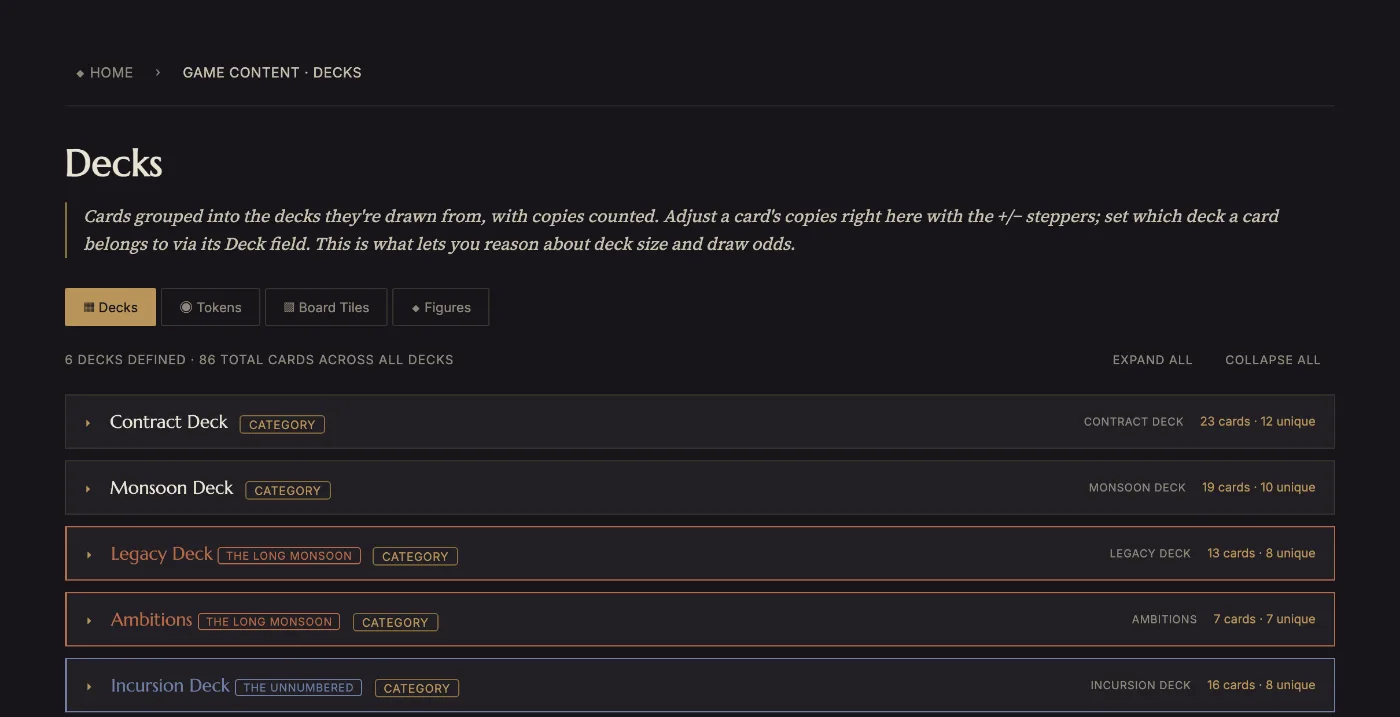
The deck. The Contract Deck reads 23 cards where it read 18. Nobody opened this page to change it — it counts what the entries say.
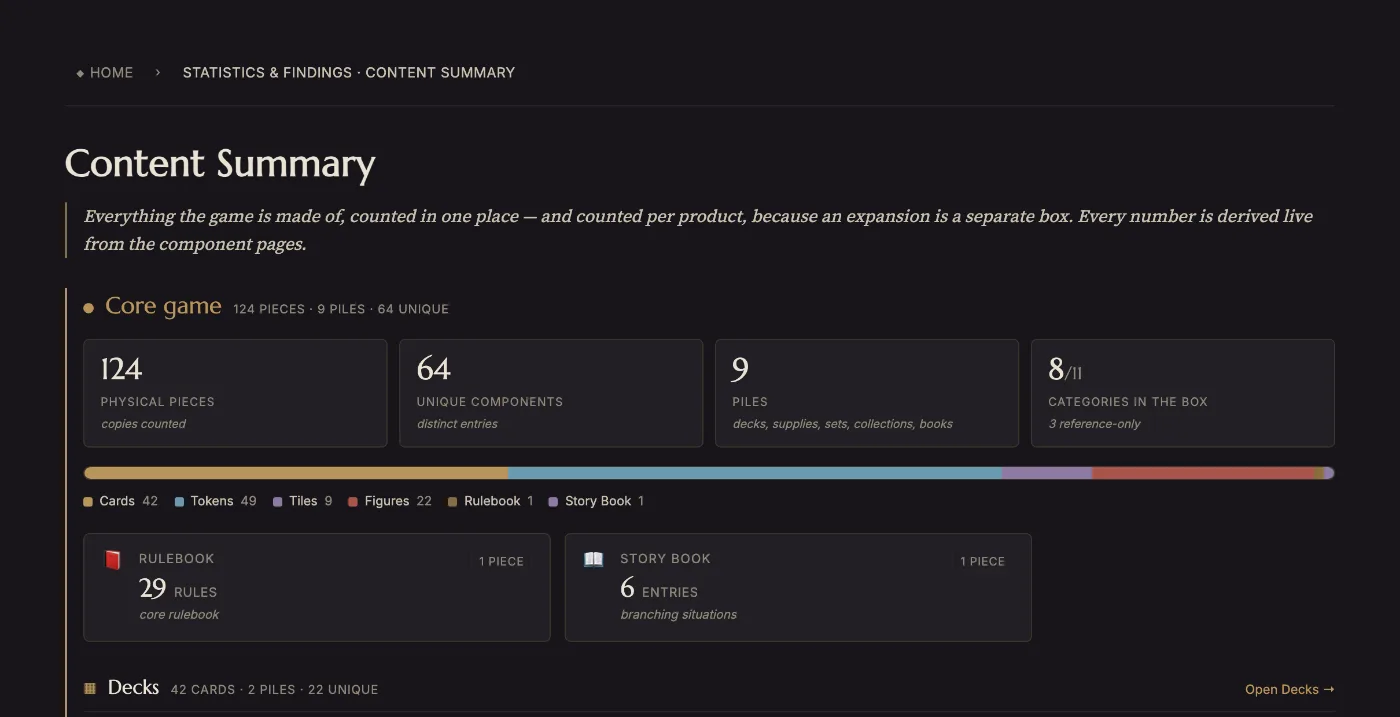
The box. 119 physical pieces became 124. The sell sheet and the rulebook's component list are the same number, from the same place — which is why they cannot disagree with each other.
See it move
This is House Vane, a real trading house from Meridian. It is written once, and then it is a miniature in the box, a branch of a dynasty, a date in the world's history, a paragraph of the rulebook and a line on the sell sheet — carrying the same Movement 5 wherever the number appears.

Trading House · Meridian
Moves first, thinks later.
Write the house once. It is a compendium entry — a tagline, a body, an infobox of typed fields, and links to the concepts it touches. Everything after this reads from here.
House Vane
Moves first, thinks later.
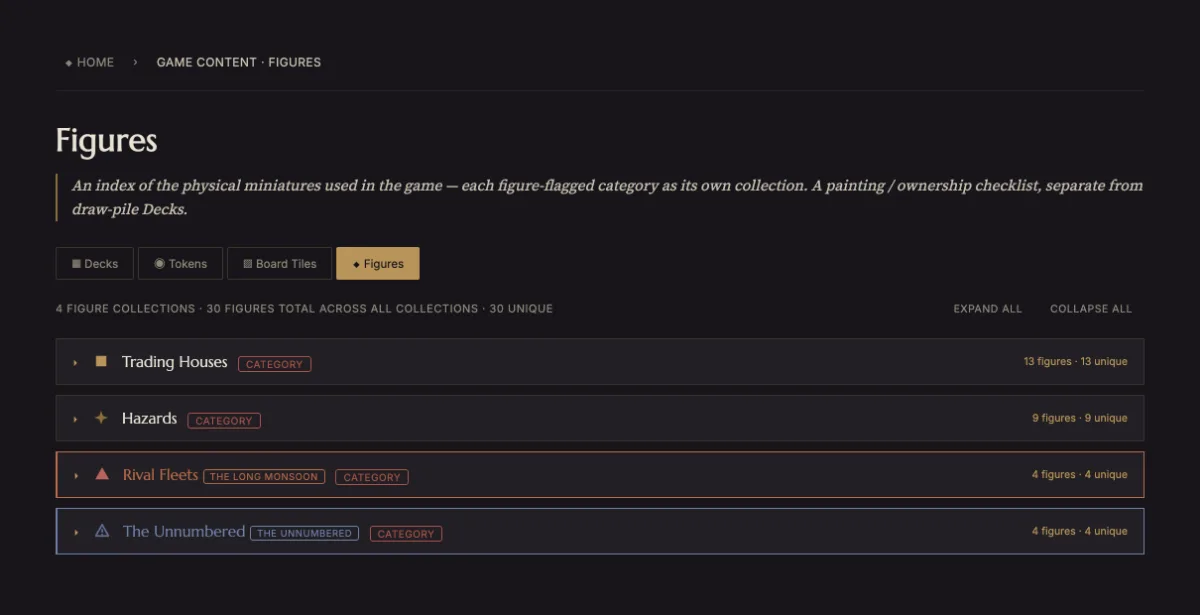
Flag the Houses category as Figures and every house becomes a counted piece, using its own Copies field. The box count moves with it — no separate manifest to update, and the 5 is the same value, not a retyped one.
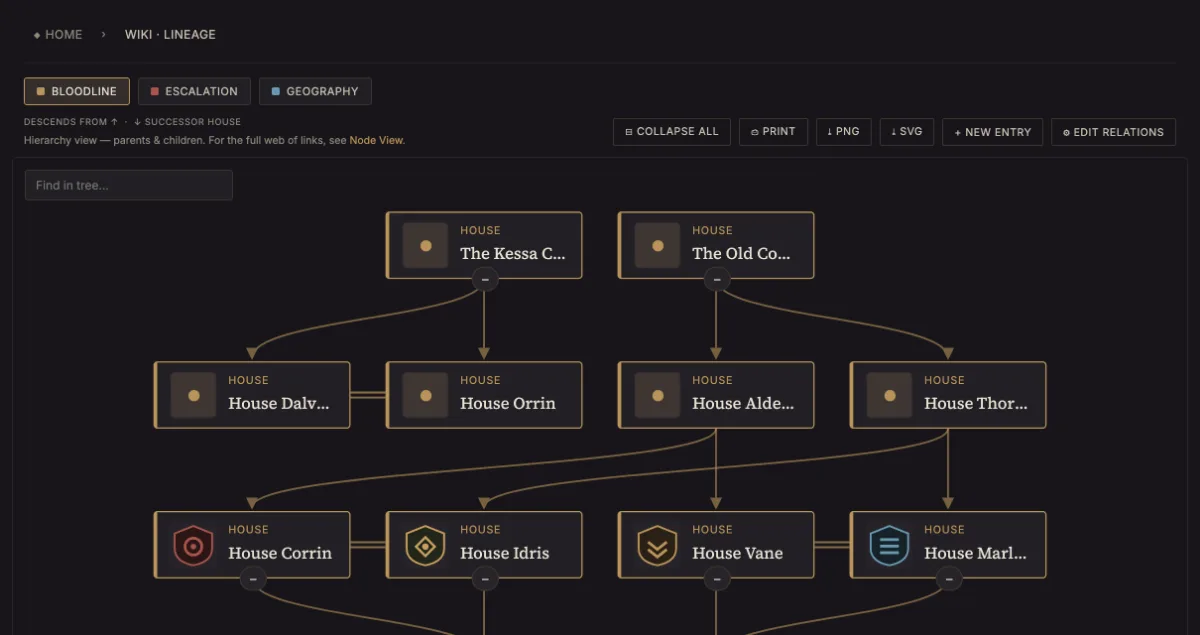
Lineage · Bloodline
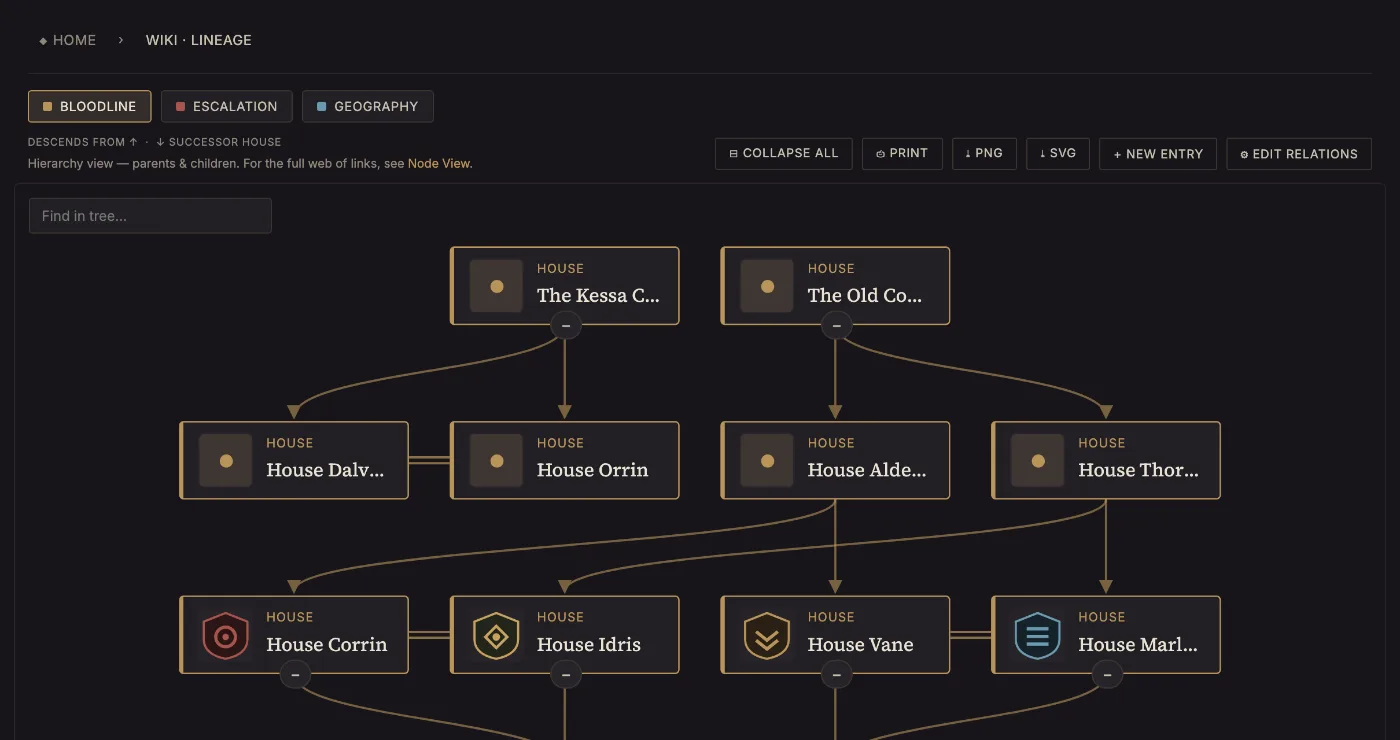
The same entry carries its parents and partners, so the dynasty draws itself. Thirteen houses across five generations here — and the diagram can be dropped straight into the rulebook, where it stays correct as the family grows.
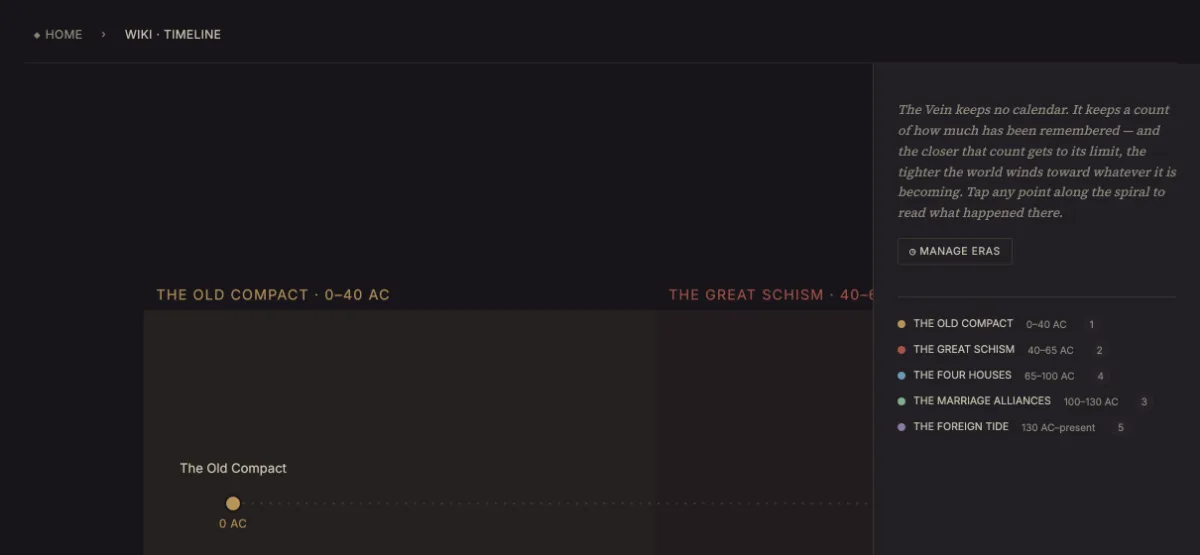
Timeline · The Four Houses
Give the entry a year and it takes its place in the world's chronology, note and all. Fifteen points on Meridian's timeline, every one of them an entry you already wrote.
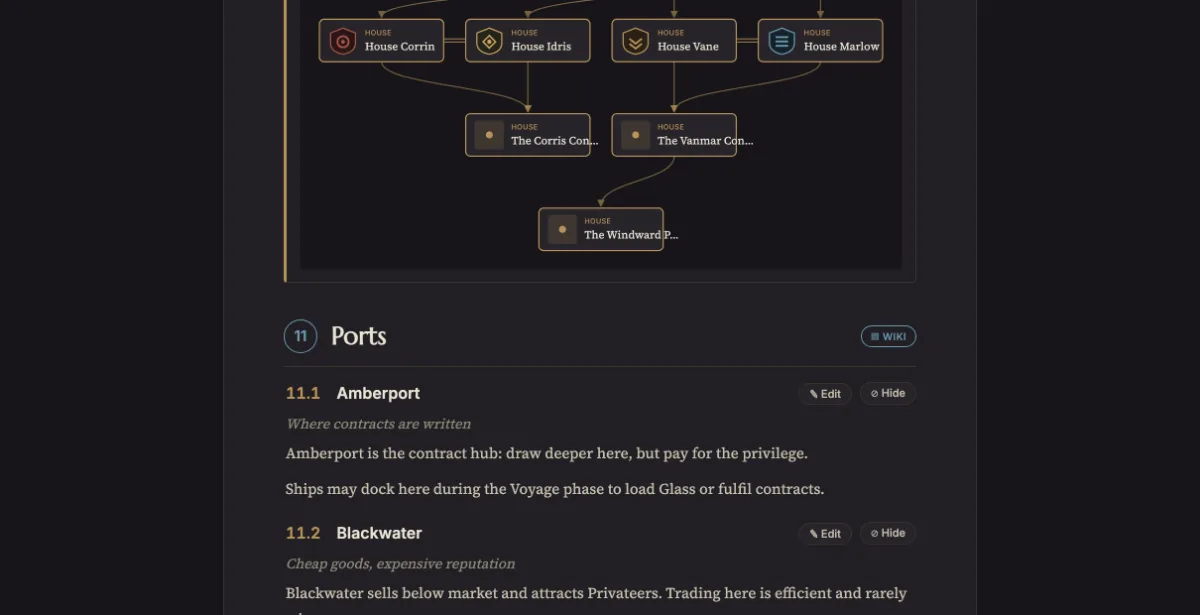
Chapter II
Each house has one permanent ability printed on its board. Abilities are always on and never expire.
House Vane begins each Voyage phase before any other house and carries a smaller Hold — Movement 5, Hold 3. Speed as a personality.
The Rulebook compiles every House entry into its chapter, in the order you set. Change Vane's Movement in the compendium and this paragraph is already right — because it is the same value, not a copy of it.
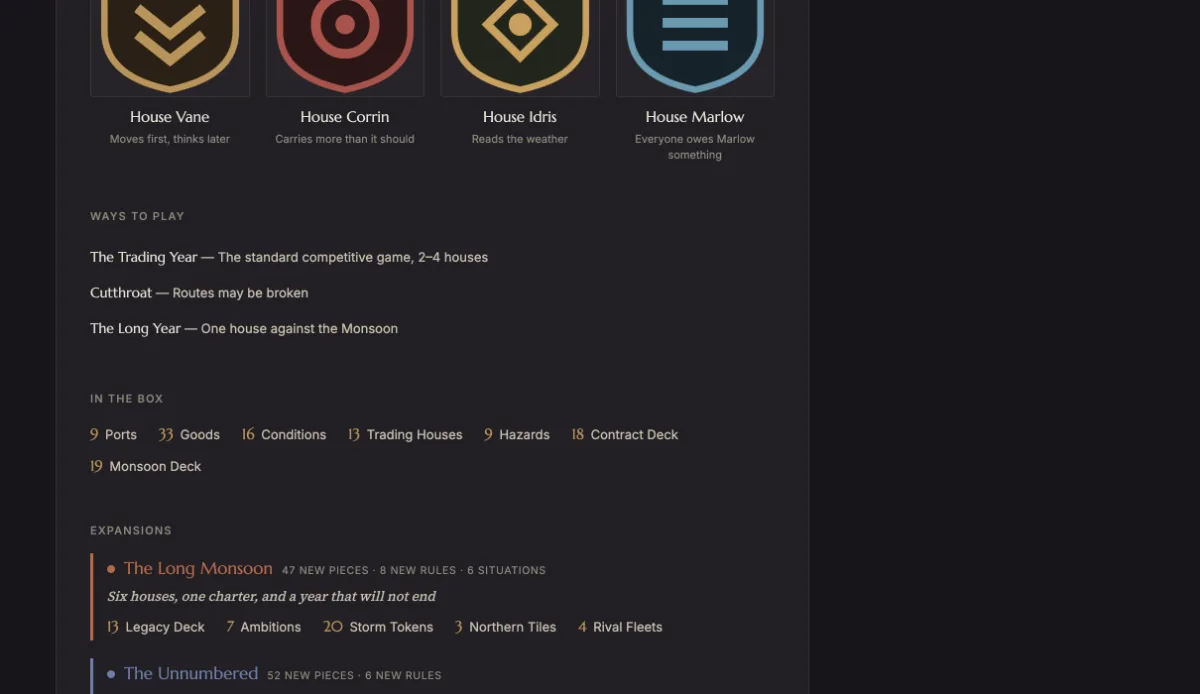
A trade epic for 2–4
Cross the Meridian before the Monsoon does.
The same entries, laid out as a Promo sheet — for a crowdfunding page, a convention demo, or the back of the box. The four houses counted here are the four you wrote; nothing was retyped from anywhere.
What's inside
Not six apps stitched together — one place where your game's facts live, and several views compiled from them.
Compendium
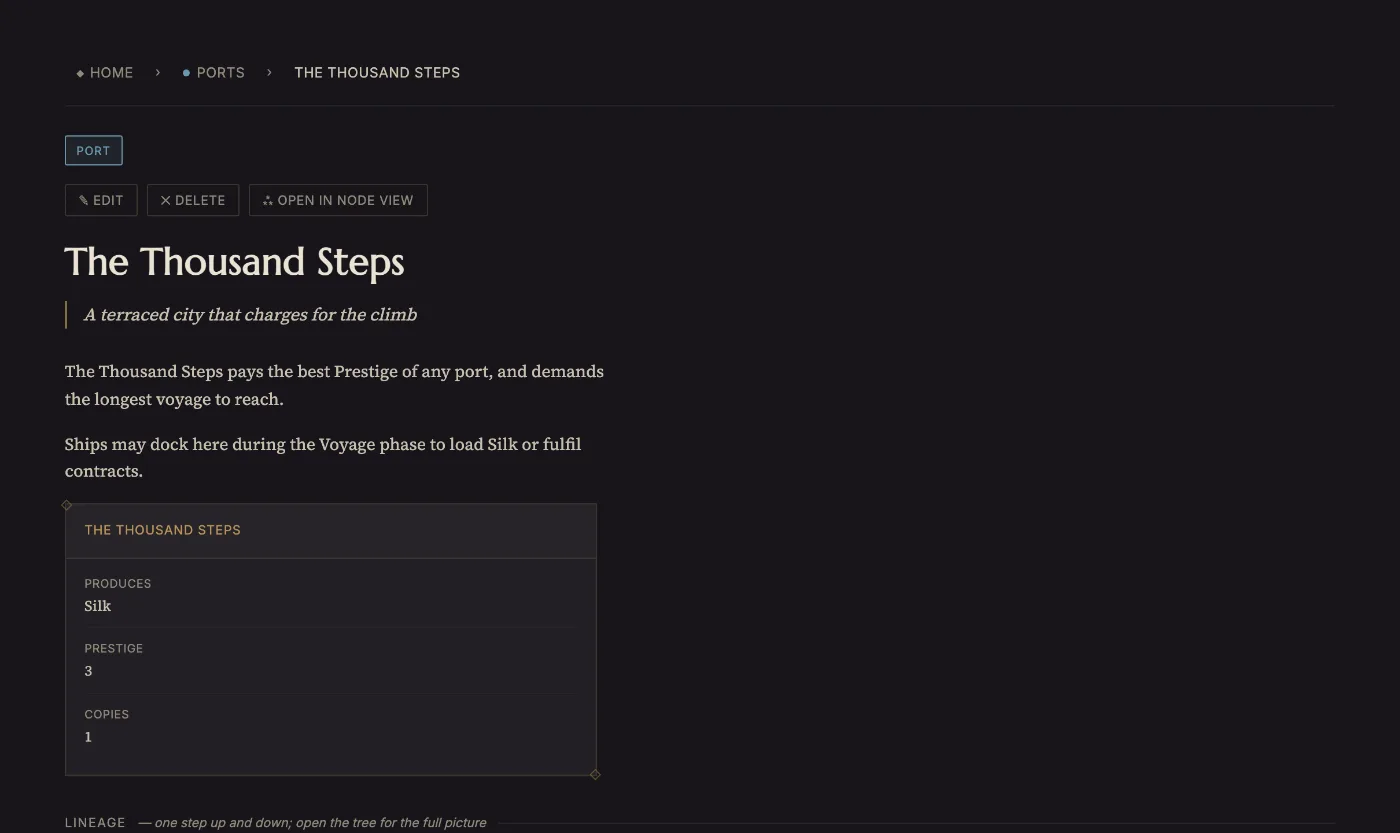
Every concept, port, house and rule gets a page — a tagline, an infobox, and cross-links to everything it touches. It reads like a wiki, but a typed one — a compendium: the one place your game's facts actually live.
See it in Meridian
An entry in Meridian, as the compendium holds it
Far Meridian
The last safe harbour before the line
Far Meridian is the furthest port and the richest. Reaching it late in the year is a gamble that decides most games.…
Rules Manager · Rulebook
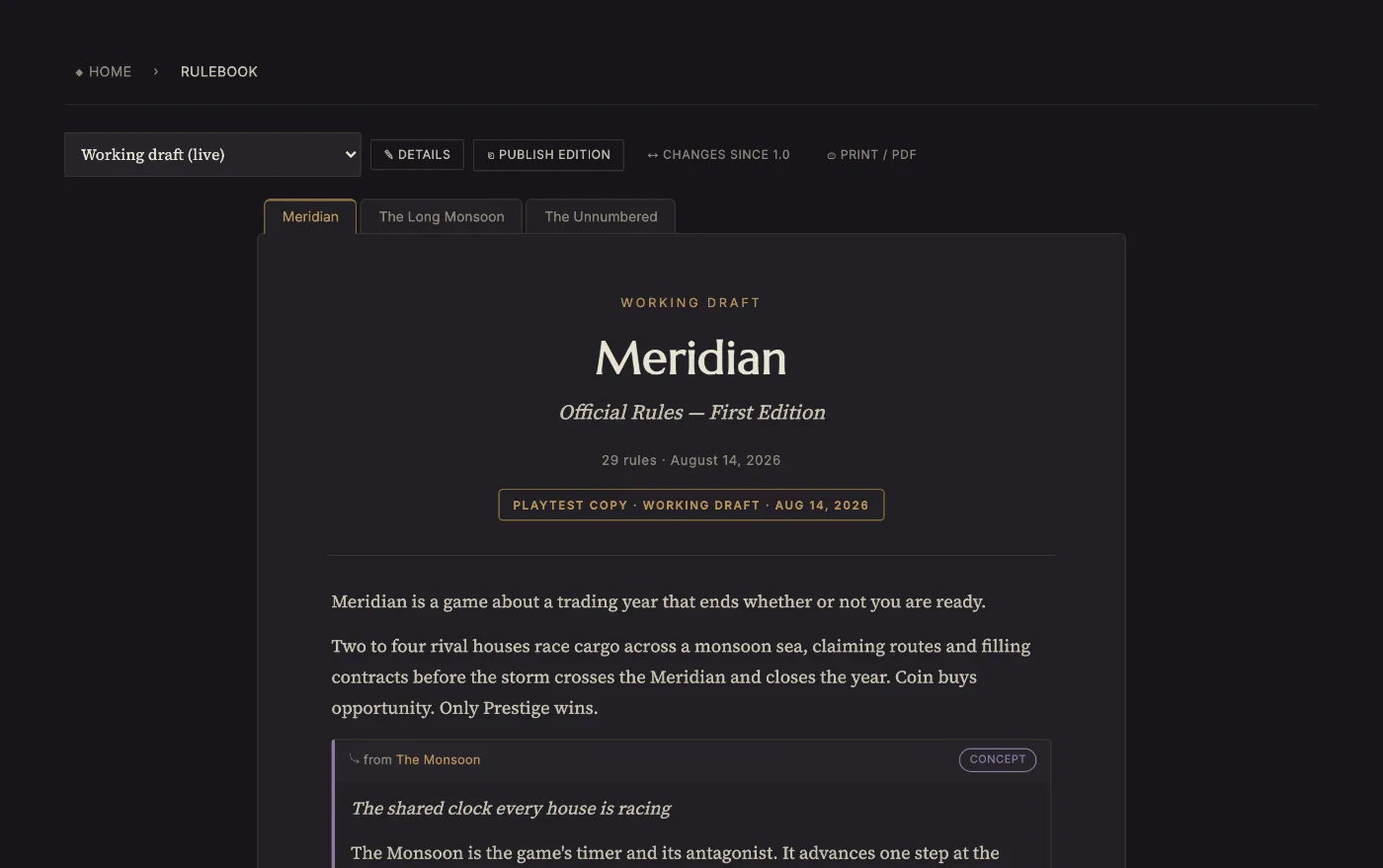
Keep rules as individual, categorized entries instead of one wall of PDF text. The Rulebook view assembles them into chapters in the order you set — fix a rule and the compiled book is already right.
See it in Meridian
Three of Meridian's 48 rules, in 12 categories
Moving along a link claimed by a rival costs 1 Coin, paid to that rival.
1 CoinWhile docked, spend 2 matching Goods to claim the link you last travelled. Routes are exclusive and permanent.
2 matching GoodsDuring the Market phase, reveal the top Monsoon card. If its Severity is 5 or higher, every Good's value drops by half (round down) for that Season.
Severity ≥ 5Component Studio · Auto-layout
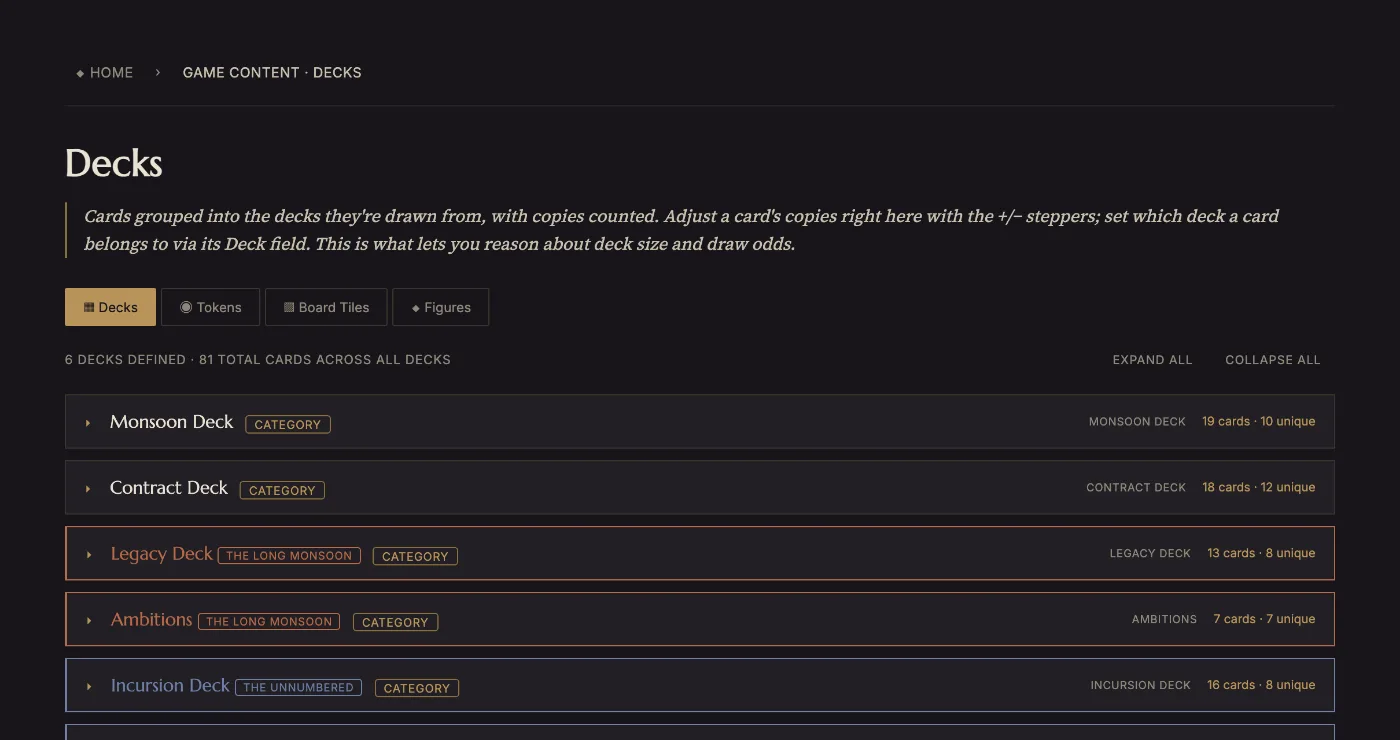
Press Auto-generate layout on a category and Loruna reads its entries — the fields they actually fill in, how long the text really runs — and lays them onto a clean black-and-white card that fits. What comes out is an ordinary template you can redesign, not a locked export. It is the shortest path from written entries to something you can cut out and put on the table tonight.
See it in Meridian
What Auto-generate layout produces from the Contract category
Silk Commission
Deliver Silk for 8 Prestige
Fulfil by delivering the required Silk to any port you have a Route to. Discard the Goods and score the Prestige immedia…
Black and white, no images: a proof you can print tonight. It read the category first — only the fields its entries actually fill in got a row, and the body's type size was stepped down until the typical entry fit. It is an ordinary template afterwards, so you can redesign every part of it.
Print · Duplex · Gang-up sheets
Design a component once, then let it pull its fields straight from the entry. Build and version decks against the same data, so a card's text and its stats are never two edits away from disagreeing.
See it in Meridian
Meridian's 18 piles, 218 physical pieces
A gang-up sheet, cut lines and all
Playtest Log
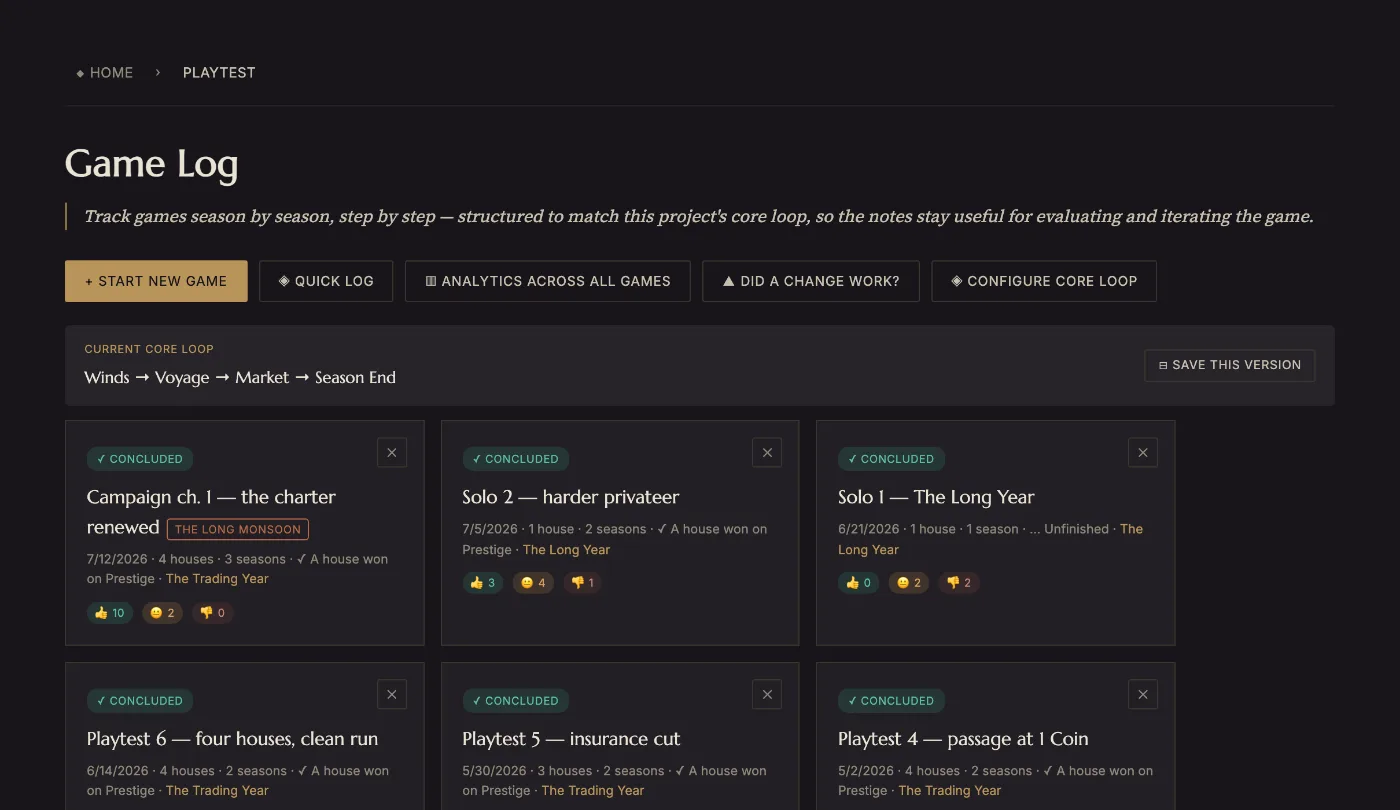
You describe your own loop once — its phases, the numbers you track, the ways a game can end in your words rather than win/loss. Every session is then logged against that shape: rate each phase, write the friction down in the moment, record which locked deck version was actually on the table. A rating added from memory afterwards is a guess, and the reports are only ever as good as this habit.
See it in Meridian
Meridian's core loop, and 9 games logged against it
Analytics · Findings report
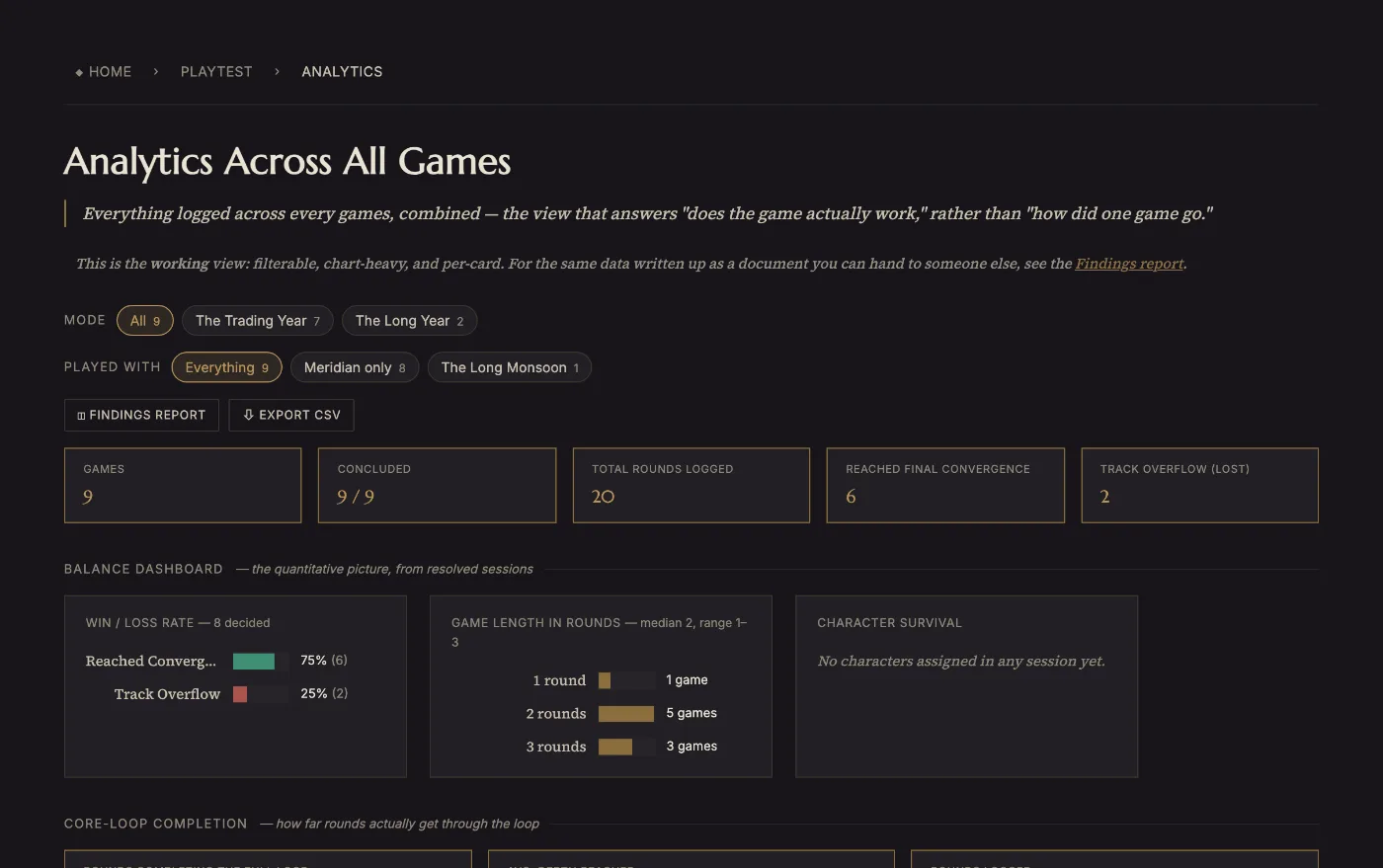
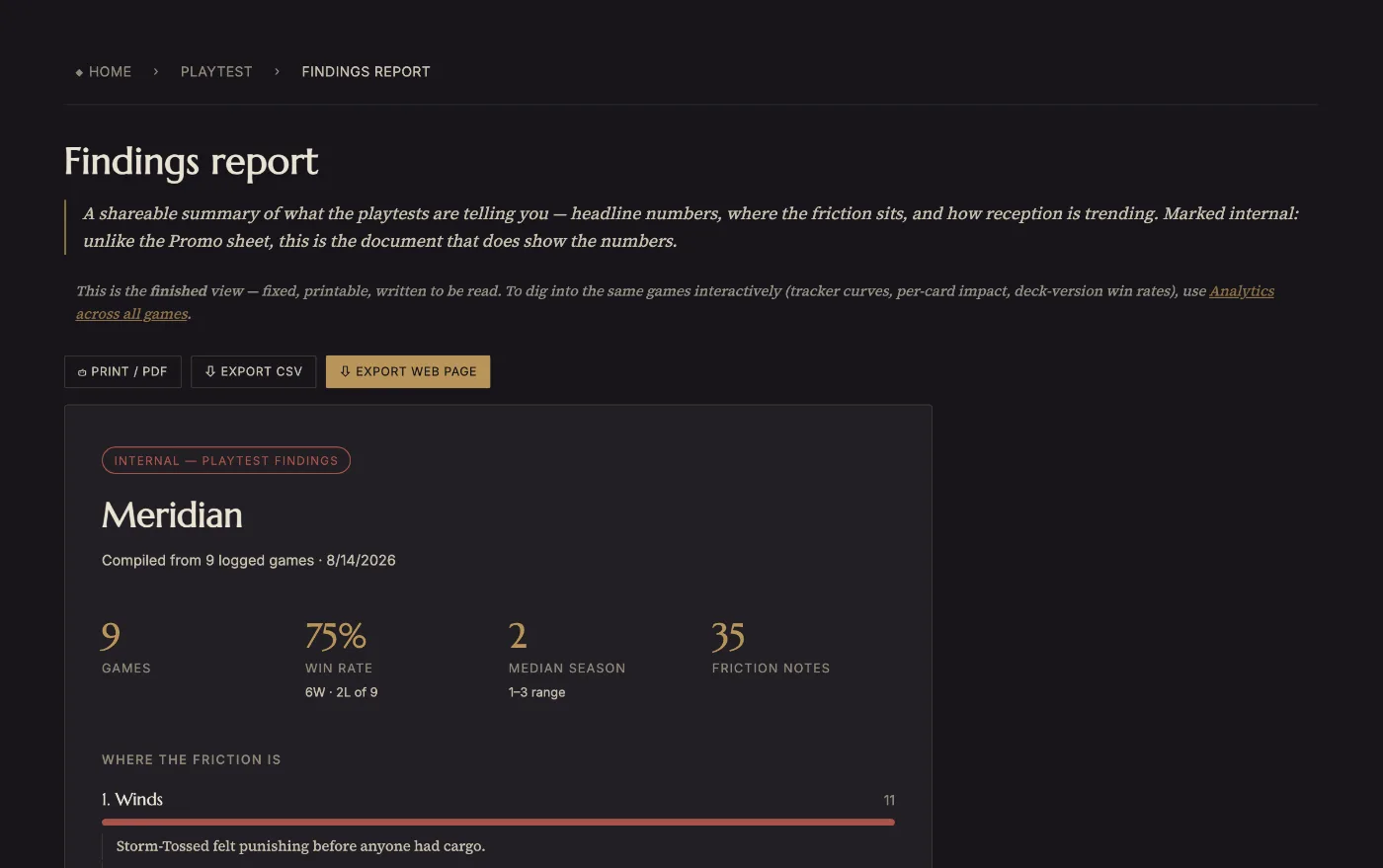
Two views over the same logs. Analytics is the working one — filter by mode or expansion, watch each tracker's curve over a game, see which cards show up in wins, which locked deck version actually won more. The Findings report is the finished one: printable, and the only place with the pacing curve, the player-count cut, how games end, declared actions nobody ever used, and what you have never tested at all.
See it in Meridian
The findings report over Meridian's 9 games
How games end
Did this change work?
Change a rule with a reason attached, play again, and compare before against after on the numbers you already track. That loop — log, read, change one thing, log again — is the whole tool, and it is the part a spreadsheet cannot do for you.
See it in Meridian
Comparing before and after a rule change
Tuned after two games stalled. The report is how you find out whether it worked, rather than remembering that it felt better.
Timeline · Lineage
Chart your setting's chronology on a Timeline and its bloodlines and dynasties as Lineage diagrams — rendered from your entries and droppable into the Rulebook or Promo output as live embeds.
See it in Meridian
Meridian's eras, and 3 lineage relations
A 13-house dynasty, drawn from the entries
Wiki Health
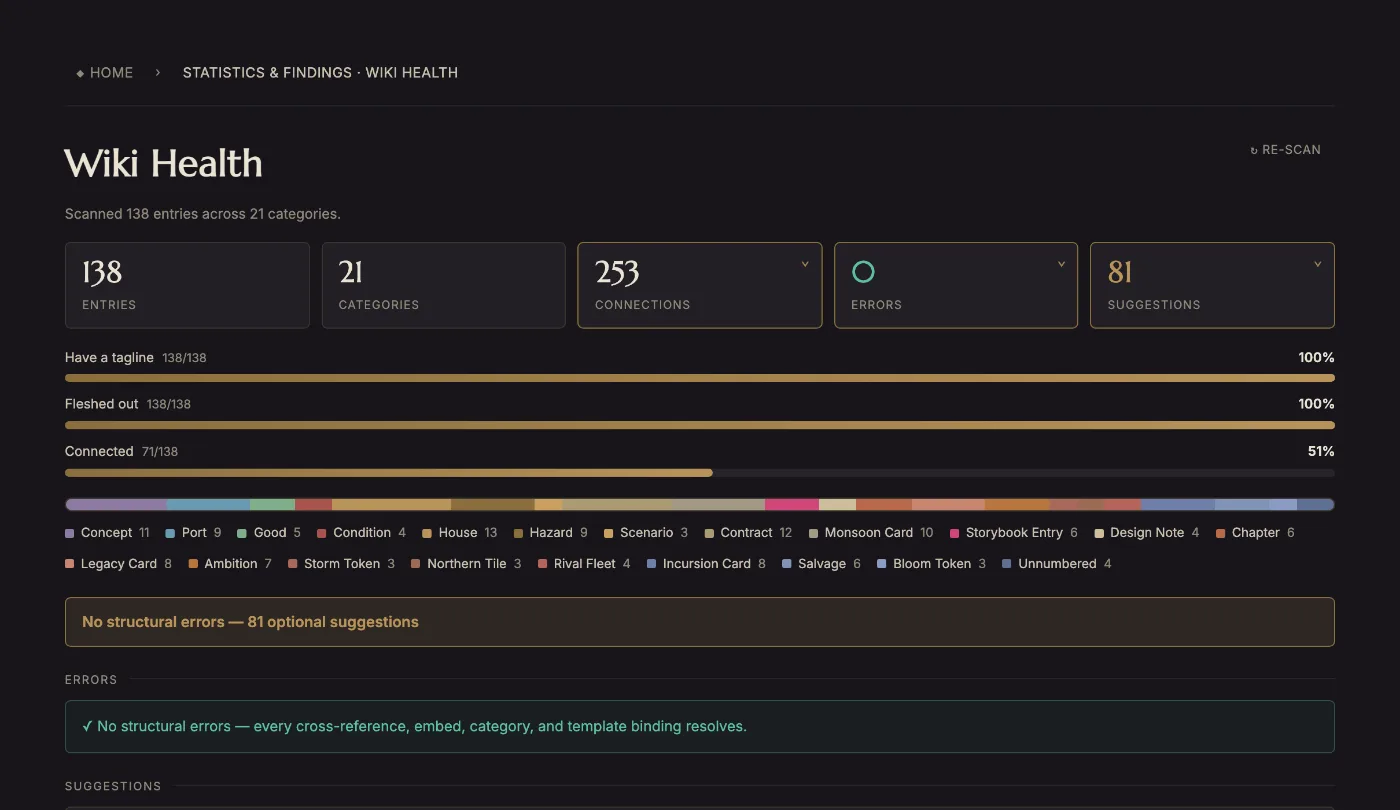
A dashboard reads your whole compendium at a glance — coverage meters, entry counts, and how each category is filling in — so you catch the thin corners of your game before a playtest, not during one.
See it in Meridian
Meridian scanned: 138 entries, 253 links
How it thinks
Loruna documents and tracks your physical game. It doesn't simulate turns or enforce rules — that's still the table's job.
The Rulebook, Promo and diagrams are views of your data — never separate files that can quietly disagree.
Nothing to install. Open it at your desk, at the table, or mid-playtest, and start writing.
Sign in and your compendium follows you — across sessions and machines, without exporting a single file.
The working order
Loruna is opinionated about sequence, because the order genuinely matters: categories shape entries, entries become components, and the core loop shapes every playtest you will ever log. Do it in this order and each step makes the next one shorter. This is the same guide that ships inside the app.
Describe the game
Start in Project Settings: the name, the one-line pitch, the player count, the play time, the age. Two minutes of work.
A category is the unit Loruna thinks in — Ports, Goods, Contracts, Houses. Everything else hangs off it: what fields its entries have, whether it is a deck or a token supply, which…
Open a category, press ⚙ Category settings, and set its Entry template: the fields every entry of that kind should carry — Produces, Prestige, Copies for a port.
Now fill the categories in. An entry is a tagline, a body, an infobox and links to other entries. The tagline is the line that shows up everywhere else, so write it as though someone…
Link an entry to the entries it mentions, and the compendium stops being a pile of pages. Links are two-way, they drive the Node view, and the rulebook builds its Key Terms glossary out of the…
Make it physical
In ⚙ Category settings, switch a category on as a Deck, Tokens, Board Tiles, a Figures index or the Story Book. The same entries then get counted as pieces, using each entry’s Copies field.
Component Studio is where a category of entries becomes a printable sheet: build one template, bind its text and numbers to the entry fields, and every entry in the category renders…
Rules live in the Rule Manager, one card each, with a statement, a status and an optional tunable value. The Rulebook is compiled from them — you never write the book directly.
Play it, and read what happened
Tell Loruna the shape of one round: its phases, the values you track, the ways a game can end. Project Settings → Playtest structure.
Before the game hits the table, lock a version of the decks you are testing and publish a rulebook edition. It takes seconds and it is what lets you answer "which version was that?"…
The Findings report reads every log you have: how games end, which phase generates the friction, how the pacing curve actually runs, which declared actions nobody ever used, and what you…
Wiki Health finds the broken links and the entries with nothing written in them. The Print & share box on your project home turns any of it into paper — rulebook, story book, sell sheet,…
FAQ
Why a number is what it is, what a field really does, what happens when you change something — answered from the designer's side, and quoting the example project's real figures rather than round numbers. All 21 of them, the same set the app carries.
Getting the shape right
21 categories · 138 entries
Identity, then categories, then a template per category, then entries. Everything else is built on those four.
The reason is mechanical rather than stylistic: a category decides what fields its entries carry, whether those entries are pieces in the box, and which product they belong to. Write entries first and you end up editing every one of them when you finally set the template. Meridian has 21 categories holding 138 entries — the categories were named before almost any of that was written.
It is the unit the whole tool thinks in. Not a folder — a declaration.
One category carries: the fields its entries get (the entry template), whether its entries are a Deck, a Token supply, Board Tiles, a Figures index or Story Book situations, which expansion it belongs to, and the columns you get when you export it as CSV. Change the category and every entry filed under it follows.
That is why ⚙ Category settings is one dialogue rather than five scattered switches: they are all the same decision, made once.
No. Set the category's entry template first, then export a blank CSV from that category — its columns are the template's fields. Fill in one row per entry and import it back.
Do it in that order and the import maps cleanly. Import first and you get entries with no structured fields, which is the thing the template exists to prevent.
What is in the box
It counts entries, weighted by each entry's Copies field, in every category you have switched on as a component.
Nothing is entered twice. A card is an entry in the compendium; flag its category as a Deck and the same entry becomes a card in a pile.
Copies lives on the entry, so one entry can be a token and a figure at once and be counted in both — the Content Summary says so explicitly rather than quietly double-counting.
Because it is two things. A hazard can be a token you place on the board and a miniature you paint.
Loruna counts it in both and then tells you, under "counted in more than one kind" on the Content Summary. The alternative — forcing you to pick one — would make the piece count wrong for the box or wrong for the painting checklist.
Rules and the rulebook
48 rules compile the book
Because a written rulebook goes stale the moment you change a rule at the table, and you find out three playtests later.
Rules live as records in the Rule Manager — a statement, a status, an optional tunable value. The Rulebook is compiled from them, so a change at the table is a change in the book. What you do write by hand are chapters: setup, the opening, worked examples — the prose the rules cannot express.
So you can say which book a game was played from.
The working draft always reflects your rules right now. Publishing an edition freezes a copy with a version number. The home page then tells you whether the draft has drifted from it, and by how many rules — which is the difference between "we tested the current rules" and "we tested something close to them".
Playtesting
Because every log is recorded against it, and every number in the Findings report is derived from it.
The loop is your phases, the values you track each round, and the ways a game can end. Log ten games against a loop that does not match your game and you have ten logs that cannot be compared to anything. Changing it later does not retro-fit the games you already logged.
It is the one setup step worth doing slowly.
Rate every phase, every round, and write the friction in the moment. That is the whole discipline.
A rating is one click and it drives phase health, the reception trend and the early-versus-late comparison that tells you whether a fix landed. A friction note is a sentence and it is what the report groups by phase to show you where the game actually hurts.
Everything else — outcome, player count, which expansion was on the table — is set once when you start the session.
Both, and the disagreement is the finding.
The reception trend is every game in order, including different scenarios. If your last two games were a solo variant that does not work yet, the line dips even though the main game is improving. The "How each scenario is landing" table separates them, and that is where to look when the two disagree.
This is exactly why the report breaks the same logs down several ways rather than giving you one score.
That you wrote a rule nobody reaches for.
Each phase of your loop declares the actions available in it. The report compares that list against every action ticked in every logged game. An action at zero after a dozen games is either priced wrong, placed in the wrong phase, or not needed — and it is invisible everywhere else in the tool.
Onto the table
Library → Auto-generate layout on the category you want. It reads that category's own entries, lays name, tagline, the fields the entries actually use and the body onto a plain black-and-white card, and opens it.
What comes out is an ordinary template, not a locked "generated" thing — open it in Component Studio and change anything. It only lays out fields your entries have actually filled in, and it steps the body's type size down until the category's typical entry fits, so nothing clips.
Then export a print sheet from the Templates page: it gangs the whole category onto A4 or Letter pages with cut lines.
Design the back on the same template — Component Studio's Data column, Editing side → Back — then use Duplex deck print on the Templates page.
It writes one PDF ordered front, back, front, back, one card per sheet, so a double-sided print puts each card's face and back on the same piece of paper. Pick Short edge if that is how your printer flips; the backs are rotated to match.
A back can be uniform (one design for the whole deck) or mirror (bound to each entry, for double-sided cards).
No — Component Studio carries a searchable icon library: suits, dice, resources, meeples, hexes, arrows, timers, and the usual interface marks.
They are vector, they take the same colour and size controls as any shape, and searching matches the tags rather than only the name, so "money" finds the coin.
Layout numbers throughout the editor are millimetres because that is what a printer wants; type size is shown in points because that is what type is measured in.
Expansions
An expansion is a grouping, never a copy. You tag a category as part of it, and every entry filed there belongs to the expansion too.
From that one tag: its content takes the expansion's colour wherever it appears, it gets its own rulebook and its own story book, the Content Summary counts its pieces in a separate column, the promo sheet gives it its own segment, and a playtest can record that it was on the table.
Deleting an expansion never deletes content — its categories and rules are released back to the core game.
Once the base game is steady enough that you are no longer changing its core loop.
An expansion multiplies everything you have to keep track of: another rulebook, another column in the summary, another thing to have or not have on the table when you log a game. The Findings report will tell you if you have added one and never played it.
How it fits together
Everything that shows it. That is the point of keeping one record.
Change a card's Copies and the deck's total, the Content Summary's piece count, the promo sheet's "in the box" list and the home page's drift warning all move together. Rename a category and its compendium section, its pile name, its rulebook section and its CSV columns follow.
The only things that do not move are the ones you deliberately froze: published editions and locked deck versions. They are snapshots, and that is what makes them useful.
Who they are for. The Rulebook is for the player: how to play. The Story Book is for the table: the situations you play through. The Findings report is for you: what the playtests are telling you, and it is marked internal because it shows the numbers.
All three are compiled from the same record, and all three print from the Print & share box on your project home without leaving the page.
Both read the same logs. The difference is what you are doing.
Analytics is the working view: filter by mode or by expansion, and it is the only place with tracker curves over a game, per-card impact on outcome, win rates by locked deck version, and which entries have never appeared in a game. Use it when you are asking "why is this happening?"
The Findings report is the finished view: fixed, printable, and the only place with the scenario and player-count cuts, the pacing curve, the reception trend and the momentum block. Use it when you want to hand someone — a publisher, a co-designer, yourself in a month — where the game is.
Both live under Statistics & Findings in the sidebar, along with Content Summary and Compendium Health. Each links to the other.
It is where you write down what you learned from playing something else, while you still remember it.
One log per game: what you played, with how many, what it does well — and, the part that matters, what that implies for your game. A note that ends "their map matters because goods are scarce, not because movement is expensive" is worth something six months later; "Concordia — good" is not.
It sits in Tools next to Todos, because both are things you keep beside the design rather than inside it. Meridian ships with five worked examples, several of which turned into todos.
In your browser, per project, and out through Project Settings.
Export a backup and you get one file holding that project's entire compendium, rules, rulebook and editions, playtests and component designs — restore it into a new project on any machine and you get the project back. Individual categories export as CSV, the rulebook and sell sheet export as standalone web pages, and any lineage tree exports as a PNG or SVG.

Bring your own game, or open Meridian and see the whole pipeline with real content already in place.
Open Loruna →Tell us what you are making. We read every one of these. The beta runs in waves of 20 testers, so nobody arrives to silence.
We store your name, email and description so we can invite you to the beta. That is the only thing this list is used for — no newsletter, never shared, no third parties. Ask and we will delete your entry: — Loruna is built by Clay Studio.
Thank you — that is genuinely useful to read, and it has been saved.
This goes straight to the studio. Tell us what happened, or ask us to remove your application and we will.
 LORUNA